
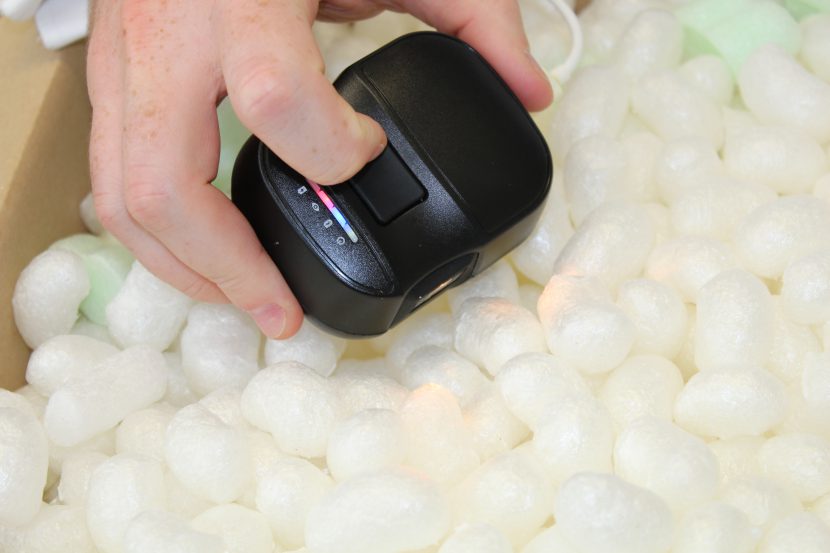
trinamiX NIR Spectrometer
– Support
This page provides practical instructions for setting up and operating the device and for obtaining reliable measurement results.
Table of content
Device Setup
- Charge the device fully before first use.
- Install the mobile or desktop application on your device.
- Power on the spectrometer and connect it to the app via Bluetooth.
- Perform the reference measurement as soon as prompted and shown by the application.
App Access
Account Registration
After purchasing the device, you should receive an invitation to register your account.
If you have not received an invitation:
- Go to the registration page
- Create an account
- Contact support with your email address so the account can be activated.
App Download
The spectrometer app is available for:
- Android
- iOS
- Windows (only available for Pal One)
Download the latest version from the official application portal.
Customer Portal
Use the customer portal to:
- view measurement results
- export data
- download reports
Log in using the same credentials used in the mobile application.
Measurement Best Practices
Reliable NIR measurements require correct sample positioning and sufficient signal strength.
___
Ensure Direct Contact with the Sample
Measurements should be taken in direct contact with the material surface.
Recommended practice:
- Use flat samples
- Ensure the sample fully covers the measurement head
- Avoid gaps between the sensor and the material
If the object is curved or small, cut a flat sample piece when possible.
See: Best measurement practices for portable spectroscopy
___
How to Measure Thin or Transparent Samples
Transparent or thin materials may produce weak signals.
Recommended approach:
- Fold or stack the sample (2–3 layers)
- Place it on a reflective background (for example the white PTFE reference tile)
- Ensure full contact with the sensor
This improves signal strength and measurement stability.
See: Detecting thin films with NIR spectroscopy
___
Why Black Plastics Cannot Be Identified with NIR
Black plastics cannot be identified using NIR spectroscopy.
Reason:
Many black plastics contain carbon black pigment, which strongly absorbs near-infrared light. When this occurs, the spectrometer cannot detect a usable spectral signal.
See: Why NIR cannot detect black plastics
Some dark gray or filled plastics may still produce partial signals, but results may be unreliable.
FAQ 1: Why can’t NIR spectroscopy detect black plastic?
Black plastics often contain carbon black pigment, which strongly absorbs near-infrared light.
Because the light is absorbed, the spectrometer cannot detect a usable spectral signal.
FAQ 2: How do you measure thin plastic films with a portable NIR spectrometer?
Thin materials may produce weak signals.
Recommended approach:
- Fold or stack the sample (2–3 layers)
- Place it on a reflective background (e.g. PTFE reference tile)
- Ensure direct contact with the sensor
FAQ 3: Why must the sample fully cover the measurement head?
Portable NIR measurements require direct optical contact.
If the sensor is partially uncovered, ambient light can interfere with the measurement.
Data Export
Measurement data can be exported from the customer portal.
Available formats:
- CSV or XLS for data analysis
- PDF reports for single measurement or multi measurements
Typical workflow:
- Log into the portal
- Select the measurement dataset
- Choose Export → CSV or PDF
Technical Limitations of Portable NIR Spectroscopy
Portable NIR spectroscopy has several practical constraints.
Black Plastics
- Not detectable due to carbon black absorption.
Minimum Sample Thickness
- Very thin materials may produce weak signals.
- Fold or stack thin samples to increase effective thickness.
Surface Coverage
- The measurement head must be fully covered by the sample.
- Small objects may require cutting a flat sample.
Ambient Light
- Avoid measuring “in the air”.
- External light sources can affect measurements if the sample does not fully cover the sensor.
More details:
- Why NIR cannot detect black plastics
- Detecting thin films with NIR spectroscopy
- Best measurement practices for portable spectroscopy
Contact Support
If you experience issues with setup, measurements, or data access:
Email: info@solidscanner.com
When contacting support, please include:
- device model
- application used
- description of the issue
- screenshots or measurement IDs (if available)
This helps resolve issues more quickly.