

trinamiX - Mobile Plastic Sorting and Material Analysis with trinamiX PAL One
Robust, portable, fast and accurate plastic identification

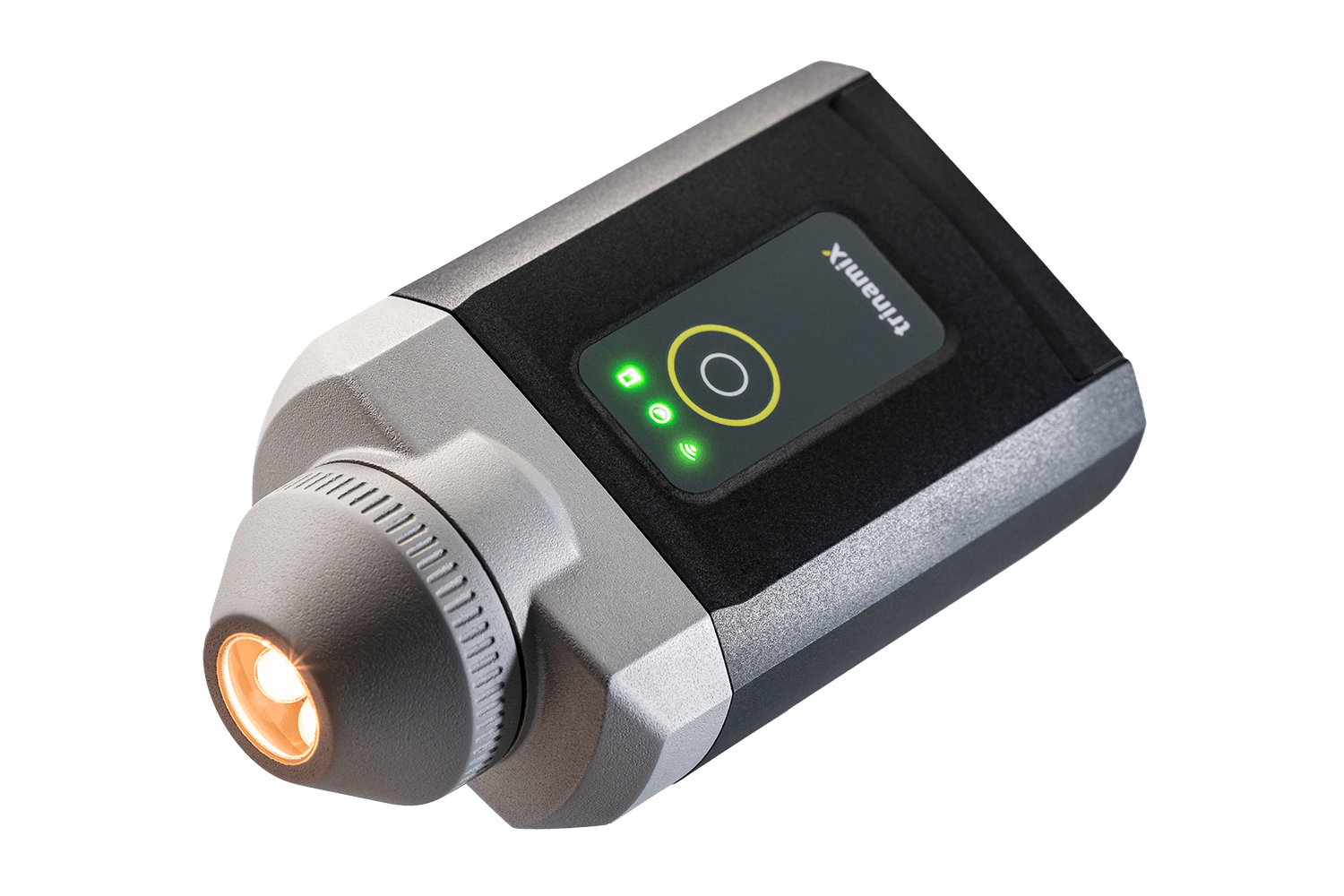
The trinamiX PAL One is a robust, portable NIR material analyzer designed for fast and accurate plastic identification. Whether you’re sorting plastic waste, verifying incoming materials, or performing design-for-recycling checks, this handheld solution delivers reliable results in seconds.
The same device can also be used for textile analysis — discover solutions for textile sorting, PA 6/6.6, wool, and more.
What it does
- Identifies common and technical plastics on the spot
- Distinguishes mono- and multi-material films
- Evaluates NIR sortability based on reflectivity (APR-guided)
- Quantifies material blends (e.g., PE/PP, PA content)
- Supports quality control via spectral correlation with references
- Detects compostable plastic types
For dedicated material verification workflows, see Material Verification with Portable NIR for details.
How the spectrometer works
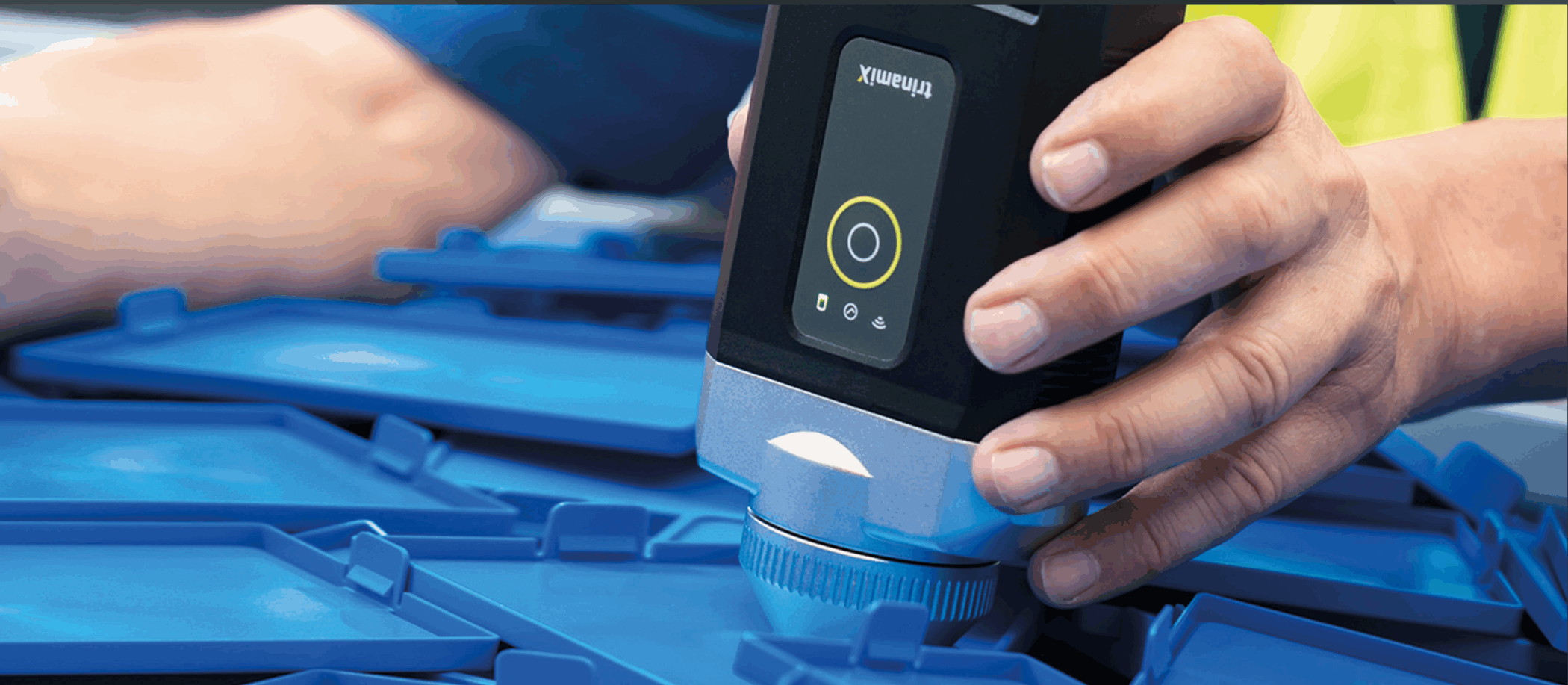
- Place the scanner directly on the sample
- Press the button – NIR light is reflected
- The app shows results within 1.5–3 seconds
- Data is saved in the secure BASF-hosted cloud
for analysis, reports, and audits
Deep Insights via the powerful trinamiX Customer Portal
Every scan result is securely stored and made accessible via the trinamiX Customer Portal. From here, users can export data, review spectral histories, and track QA metrics across locations and teams. The portal is hosted in the Microsoft Azure cloud (BASF SE infrastructure), ensuring reliable access and full data protection. Ideal for audits, batch tracing, and continuous process improvement.
Available Applications (Modular Apps)
Each software module is licensed individually and can be combined or added later. Current modules include:
| App Name | Use Case | Materials / Function |
| 10 Plastics | Basic identification | HDPE, LDPE, PP, PS, PVC, PLA, ABS, etc. |
| Plastics Max | Extended material library | 30+ materials incl. PET-G, POM, PSU, PEI, PC-ABS, etc. |
| Reflectivity | APR compliance check | Shows if sample is NIR-sortable or not |
| Multi-Material Films | Detects multilayers | Distinguishes PE/PA and other multilayer types |
| PE/PP Quantification | QA & compounding | Measures % ratio of PE and PP |
| Compostable Plastics | Bioplastics check | PLA, starch blends, PBAT, cellulose acetate, etc. |
| Correlation App | Incoming goods control | Compares sample vs. reference using R/R² |
You can download the flyer with all applications here:
10 Plastics vs Plastics Max
PE–PP Blend Analysis
The PE–PP Blend Analysis application estimates the composition of polyethylene (PE) and polypropylene (PP) in mixed plastic materials. The application is intended for screening and comparison tasks where PE and PP occur together and a fast indication of the blend ratio is useful.
Typical applications include production scrap, industrial regrind, compound development, incoming material checks, and comparison of material batches.
Typical Use Cases
- Verification of PE/PP compounds
- Comparison of incoming material batches
- Production scrap evaluation
- Regrind characterization
- Quality checks during compounding or material development
Measurement Workflow
The application is designed for solid samples such as cast parts, molded components, and plastic panels. For best results, place the spectrometer directly on the sample and perform measurements at multiple positions.
- Measure at least five locations on the sample.
- Use direct contact between device and material.
- For transparent samples, use the white reference target behind the material.
Result Range
The application estimates PE and PP content within a composition range of approximately 3% to 97%.
Important Limitations
This application supports screening and comparison workflows. It is not intended to replace laboratory-grade compositional analysis. Results depend on sample homogeneity, surface condition, and measurement procedure.
Typical Use Cases
- Manual plastic waste sorting in recycling facilities
- QA in plastic part manufacturing or compounding
- Verifying material design for recyclability (e.g. APR reflectivity check)
- On-site incoming goods inspection
- Portable identification in R&D, compliance or sustainability audits
Why Choose trinamiX PAL One
- No lab needed: full analysis in the field
- Battery: up to 6,000 measurements per charge
- Compact and lightweight: 560 g
- Works with Android, iOS, Windows
- Optional: semi-automated table integration for faster throughput
- Fully upgradeable at any time
- Compatible with both plastic and textile sorting apps
Measurement Limitations
The following materials cannot be measured, or only with severe restrictions:
How to buy
You can purchase selected bundles (PAL One + 10 Plastics or Plastics Max, 1/3/5 year license) directly in our online shop.
Need additional apps, multiple devices or a custom setup? Contact us directly for a tailored offer.
Downloads
trinamiX’s NIR scanner for textile & plastic recycling
Discover our NIR spectrometers for textile and plastic recycling in our online store.
Practical FAQs from Real Users
How much of the lens needs to be covered to get a valid result?
To achieve a reliable measurement, the entire lens opening should ideally be covered fully and evenly by the plastic surface. If the object is small or curved, use the flattest area or place the sample on a reflective background like the included white PTFE tile. Partial coverage can lead to inconsistent spectra.
What is the best background for scanning plastic films or hard plastics?
>Opaque hard plastics don’t require a specific background, but for transparent or thin materials, use the white reference tile or fold the sample to increase signal strength. Avoid measuring in the air to prevent light interference.
How can I tell if a plastic object is a laminate or mono-material?
Use the Multi-Material Films app. If the result shows a PA % or multiple components, it’s likely a laminate. If it consistently shows one polymer, it’s likely a mono-material. Repeating the scan can help confirm the result.
Which scanner mode is best for laminate plastics?
The Multi-Material Films app is best suited for laminate plastics. However, results may vary based on the sample’s surface and structure. Always ensure full lens contact and use a reflective background for consistency.
Where can I find answers to more technical questions?
Visit our extended FAQ hub here: Support